
QuickBooks billingon the Salesforce record
Tally for QuickBooks makes invoices, estimates, payments, recurring invoices and purchase orders on any Salesforce record, creates them in QuickBooks Online when you save, and keeps them up to date when QuickBooks changes.
Fictional data in every scene: Northbeam Software bills Brightline Logistics.
Eight things it doeseach with its own page
Every card shows a piece of the package's own screens, redrawn. Open one to watch the whole flow.
Invoicing
Every planCreate QuickBooks invoices from any record: the opportunity, the account or your own object. Pick the customer, add the products, Save or Save and Send. Edit, void, remind and download the PDF from the record.
Read moreEstimates
Growth and ScaleSend QuickBooks estimates from the opportunity or any record with an account. Acceptance comes back to Salesforce, and Convert to Invoice creates the invoice from the estimate.
Read morePayment processing
ScaleCharge a card or bank account through QuickBooks Payments, or record a check, on the invoice.
Read moreRecurring invoicing
ScaleAn invoice template with a schedule. Each invoice is created on its day and can be charged automatically.
Read morePurchase orders
Growth and ScaleBuild QuickBooks purchase orders in Salesforce, or have a Flow create one per vendor from an order.
Read moreClass tracking
Growth and ScaleYour QuickBooks classes in Salesforce, with a class on every line of the documents you build.
Read moreCustom fields
Growth and ScaleYour QuickBooks custom fields on invoices, estimates, sales receipts and purchase orders built in Salesforce.
Read moreData migration
Add-onQuickBooks customers imported as Salesforce accounts and contacts, and mapped for invoicing.
Read moreAll of it on one tabwhere the team already works
The package's components sit on the record pages you choose. On an opportunity, the Quickbooks tab holds sales receipts, estimates, invoices and purchase orders, each with its list and its create button.
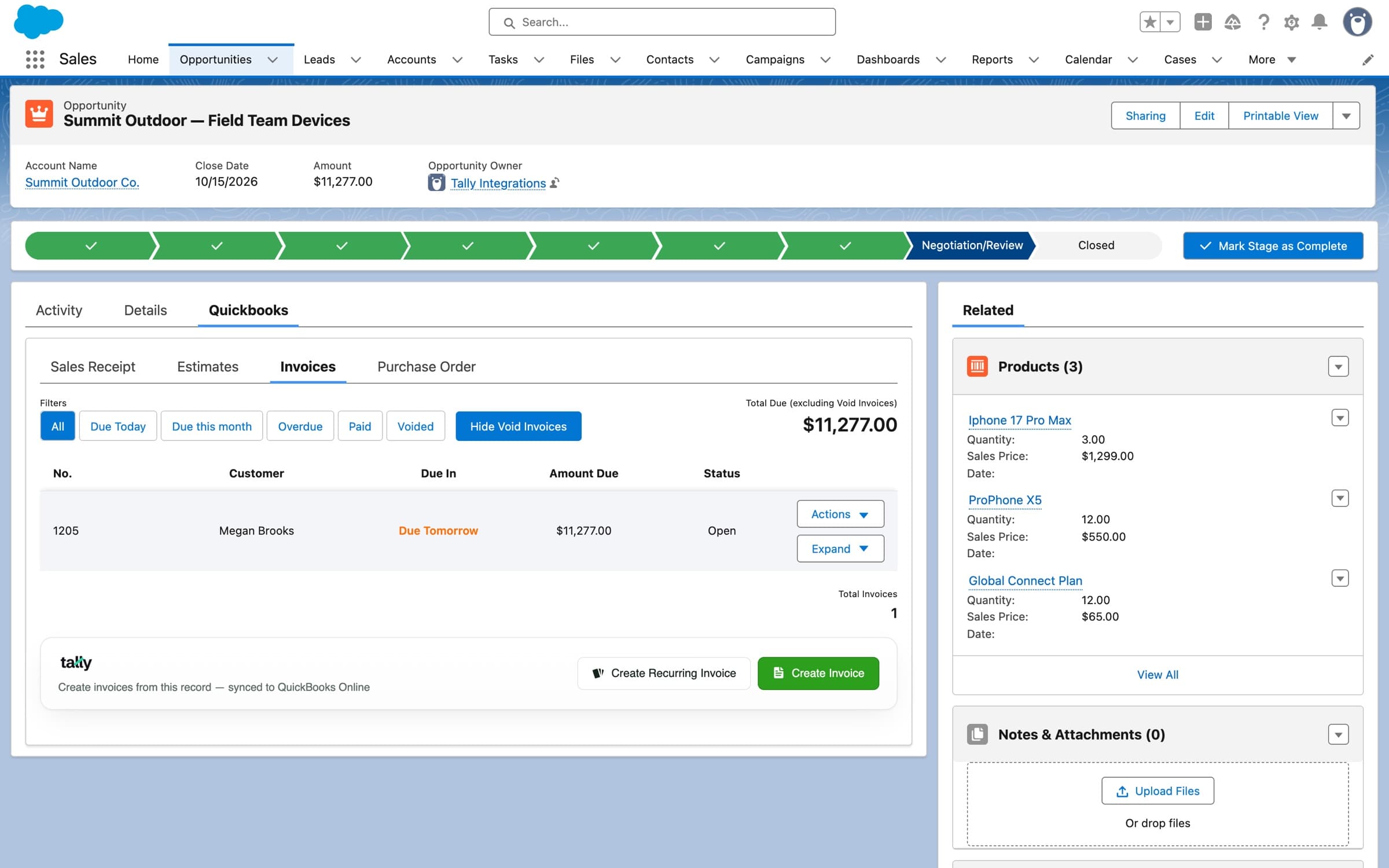
The real component on an opportunity, in a sandbox org with demo data.
Also in the packagefor admins and automation
Two-way sync
Customers, products, invoice payments and estimate statuses change in Salesforce when they change in QuickBooks.
Permission sets
Separate access for Save, Save and Send, estimates, recurring invoices and payment processing.
Invoice Settings
Default terms and messages, card and ACH switches, and a credit card limit for invoices made in Salesforce.
Errors in plain words
When QuickBooks rejects something, you see the real reason and how to fix it, not a code.
Your record pages
Place the components on opportunities, accounts and custom objects that lead to an account.
Every object in the schema
Each object and field the package adds is listed on the schema page.
Flow actions in the package
Create Invoice on QBO - Easy SetupCreate Invoice on QBO using SF Invoice recordRecord Payment on Existing QBO InvoiceCreate Estimate on QBO using SF Estimate recordCreate Sales Receipt on QBO - Easy SetupCreate Purchase Orders by VendorCreate Customer on QuickBooksUpdate Customer on QuickBooks“There's not much more you can say besides WOW. It does everything extremely well, quickly and intuitively. It by and large feels like it's just part of Salesforce because it just works. We evaluated bigger-name solutions but found Tally more robust — and the support is by far the best out there.”
“We've used Tally for 2 years to connect Salesforce with QuickBooks and it's been a game changer. We generate invoices, estimates, purchase orders, and more — all without leaving Salesforce. Saved us time and reduced manual-entry errors. Their support team is responsive and helpful.”
Rated 5.0 from 21 reviews on the Salesforce AppExchange.
Pricing
$3,995
per year, Tally Basic
Tally Growth is $5,899 and Tally Scale $7,290 a year. Growth and Scale install free; Basic has a one-time $1,000 installation.
Which plan has what
- InvoicingEvery plan
- Estimates and purchase ordersGrowth and Scale
- Class tracking and custom fieldsGrowth and Scale
- Payment processingScale
- Recurring invoicingScale
- Data migration$1,295 one-time