
Vendor bills from any recordin QuickBooks when you send
Enter a vendor or subcontractor bill on the Salesforce record the cost belongs to: an opportunity, a work order, a project or your own object. The lines fill in for you, the bill goes to QuickBooks Online, you can pay it from Salesforce, and its paid status follows QuickBooks.

The package's bill form on a work order's Quickbooks tab. Fictional data.
What you're seeing
- Create Bill on work order 00001042's Quickbooks tab opens a new bill for the work order.
- The record fills in the vendor Ridgeline Electric (Terms: Net 30), the customer Brightline Logistics, the bill no. 4417 and the memo.
- Fill lines lists the macros for this bill, and the rep picks Job cost lines, a Related records macro set up for work orders.
- Three category lines come in from the work order's line items, each charged to Brightline Logistics and billable: $4,000.00 in all.
- Send to QuickBooks creates the bill in QuickBooks Online: “Bill #4417 is in QuickBooks.”
From any recordfilled in before you type
The bill form works on standard objects, the package's own and your custom objects. The record supplies what it knows, and a bill setting per object decides the rest.
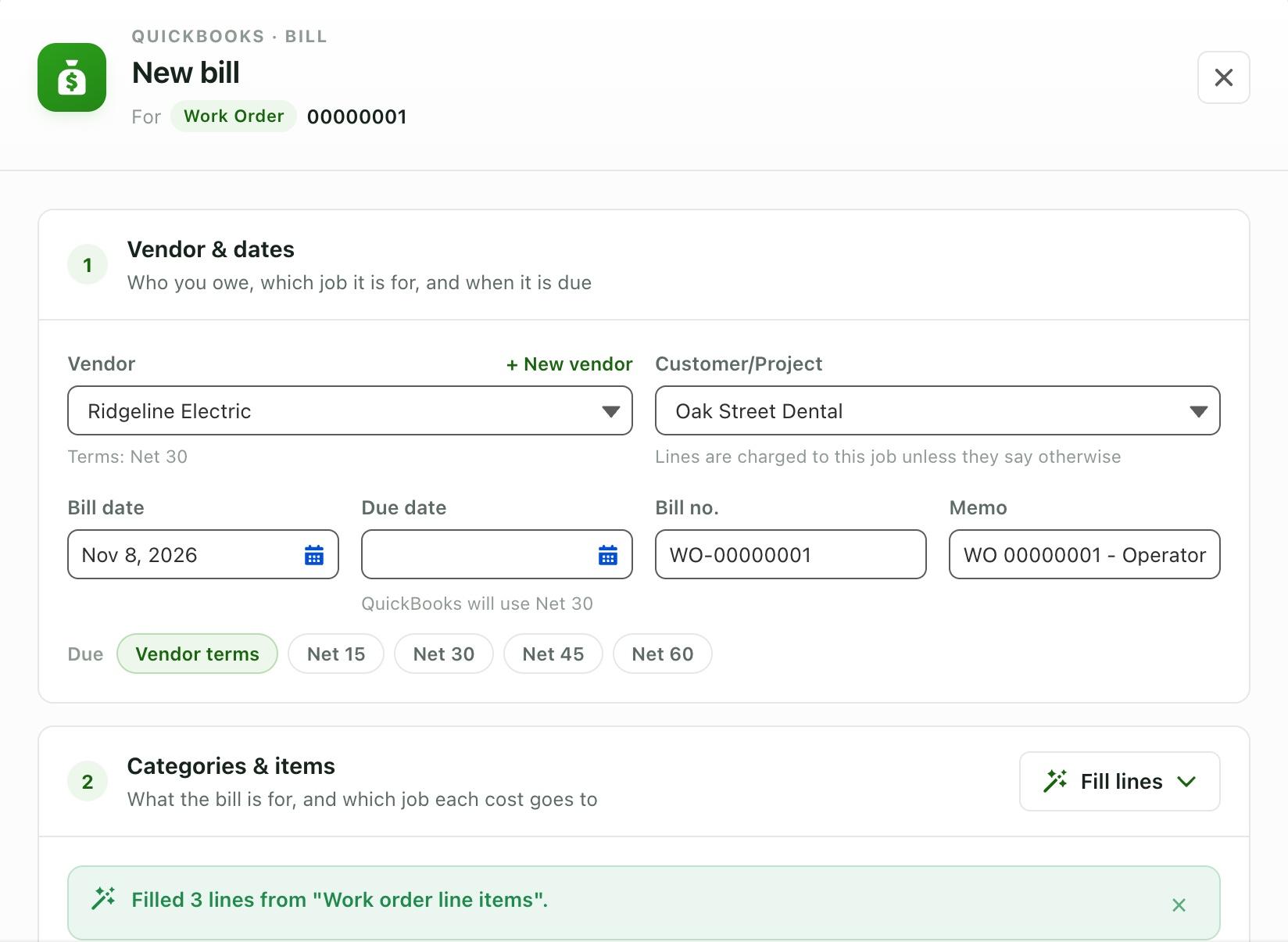
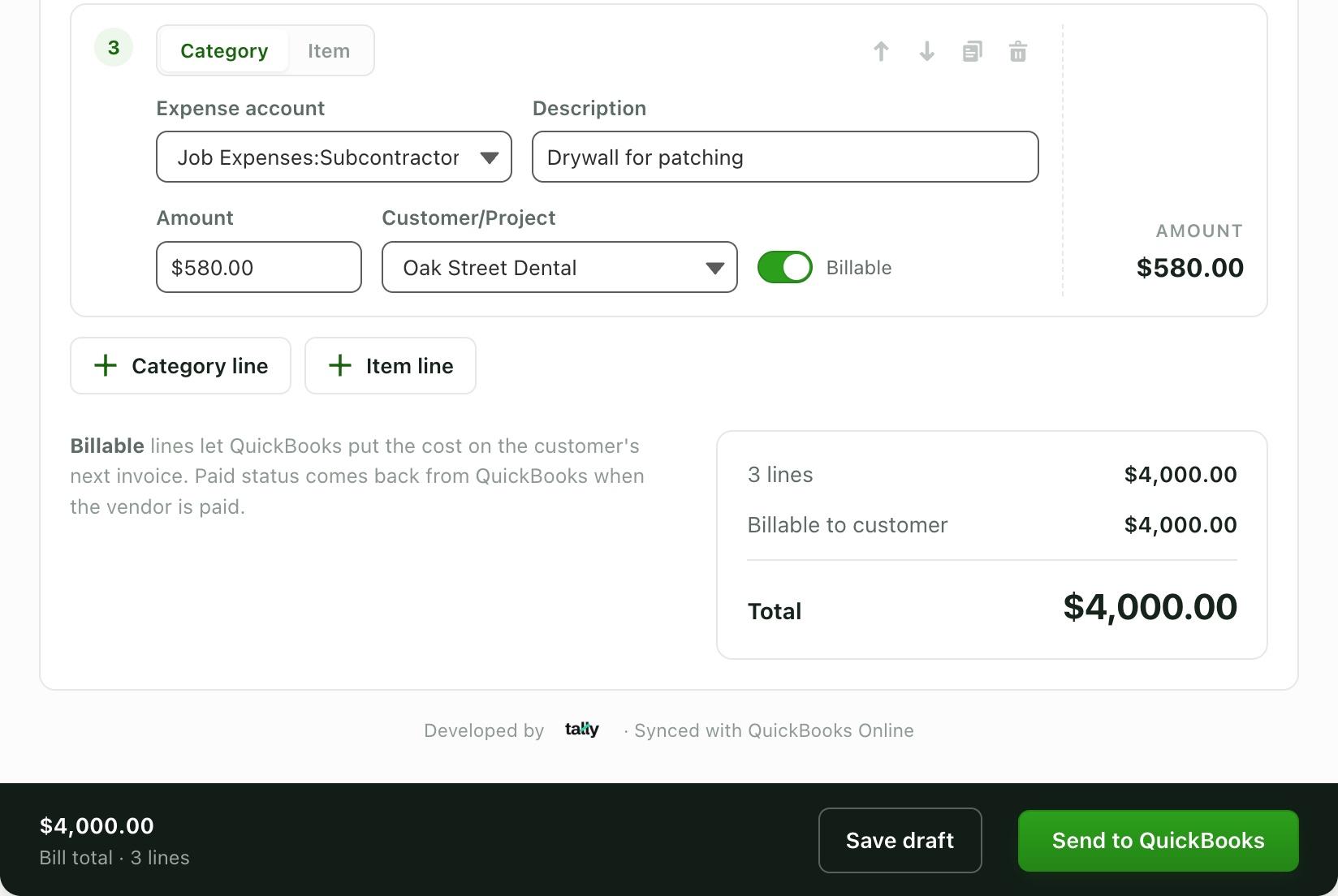
The bill form in a scratch org with demo data.
Any object
Opportunities, work orders, cases, accounts, vendors, purchase orders and custom objects such as projects. Add the QuickBooks Bills component to the page, or the New QuickBooks Bill action.
Filled from the record
The vendor, the customer or project, the memo and the bill no. come from the record. An Account with several QuickBooks customers or projects asks which job.
Bill settings per object
Which fields hold the vendor and the customer, memo and bill no. templates with merge fields, a default expense account, class and billable flag, and when it's due.
Category and item lines
Each line is an expense account or a product, with its own customer or project, class and a Billable switch, so QuickBooks can put the cost on the customer's next invoice.
Save draft or Send to QuickBooks
A draft stays in Salesforce for someone to check. Send creates the bill in QuickBooks Online; if QuickBooks refuses it, you see its reason and send it again.
+ New vendor
A vendor that isn't in QuickBooks yet is created there on the spot, added to Salesforce and picked for the bill.
Fill linesfrom the record, a Flow or Apex
Macros are buttons in the bill form's Fill lines menu. Three come built in; the rest you set up in the Tally Hub under Bills > Setup, for one object or for every object.
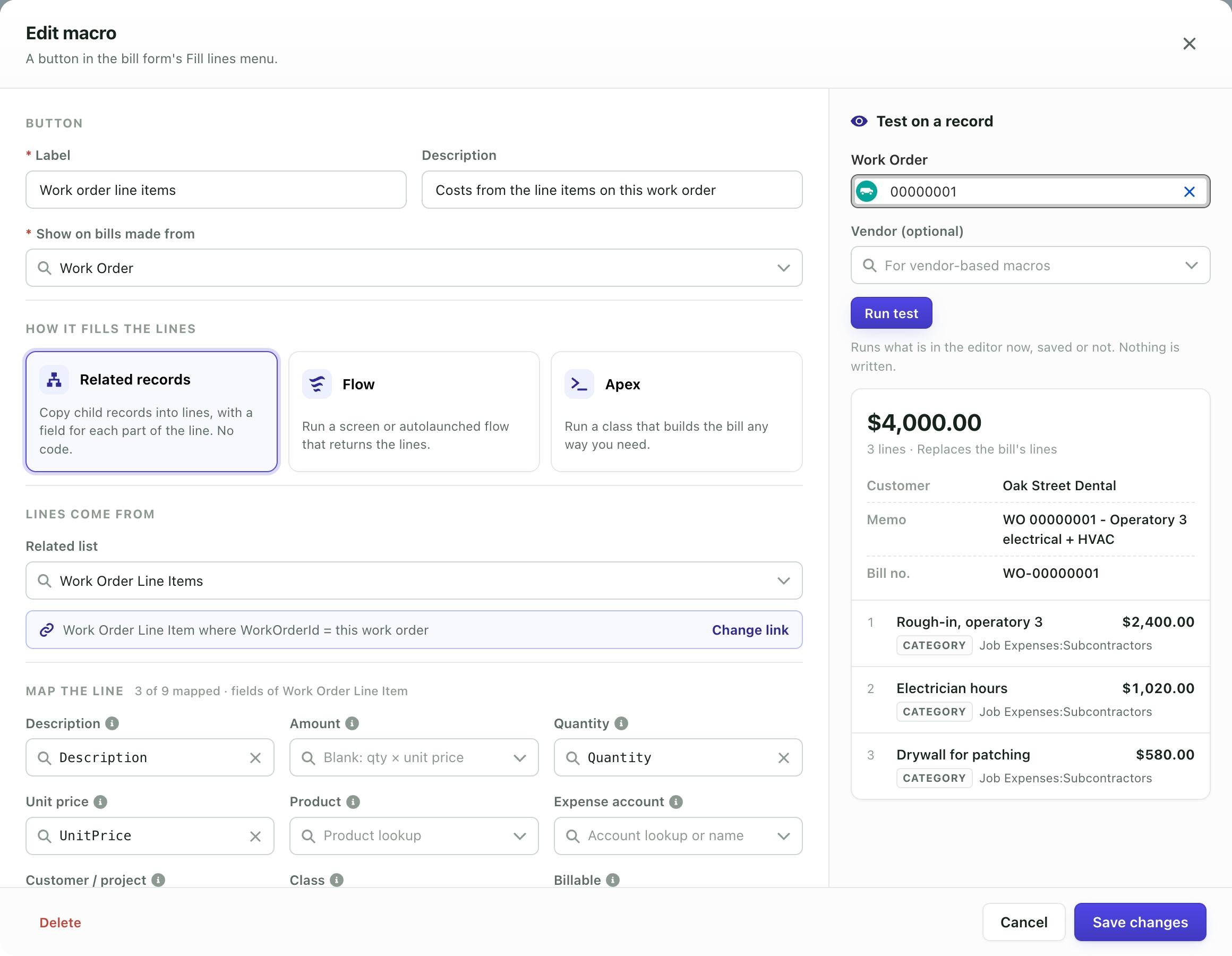
A Related records macro being tested on a work order. Demo org data.
Built in
Opportunity products, a purchase order's lines, and Repeat vendor's last bill. No setup.
Related records
Copies child records into lines, such as a work order's line items, with a field for each part of the line, a filter and an order. No code.
Flow
A screen flow or an autolaunched flow that returns lines. Screen flows open on top of the bill form.
Apex
A class that implements QBObyTALLY.QB_BillMacro and builds the bill any way you need.
Test on a record
Run what's in the editor against a real record, saved or not, and see the lines and total it gives. Nothing is written.
Runs when a bill opens
An object can run a macro as soon as a bill opens, so the lines are there before anyone clicks. A fill you run yourself can be undone.
Pay it from Salesforceor in QuickBooks
Record payment on a bill that's in QuickBooks, and its balance and paid status change in both places. Pay it in QuickBooks instead and Salesforce hears about it.
- 1
Check / bank or credit card
From a bank account with a check no., or charged to a credit card account, both from your QuickBooks chart of accounts.
- 2
The whole balance or part of it
The amount starts at the balance; enter less for a partial payment.
- 3
A bill payment in QuickBooks
Linked to the bill. Payments on the bill lists every payment QuickBooks holds for it, made in Salesforce or in QuickBooks.
- 4
Balance, Paid Status and Paid Date follow
QuickBooks' Bill and BillPayment notifications keep them current: Unpaid, Partially Paid or Paid.
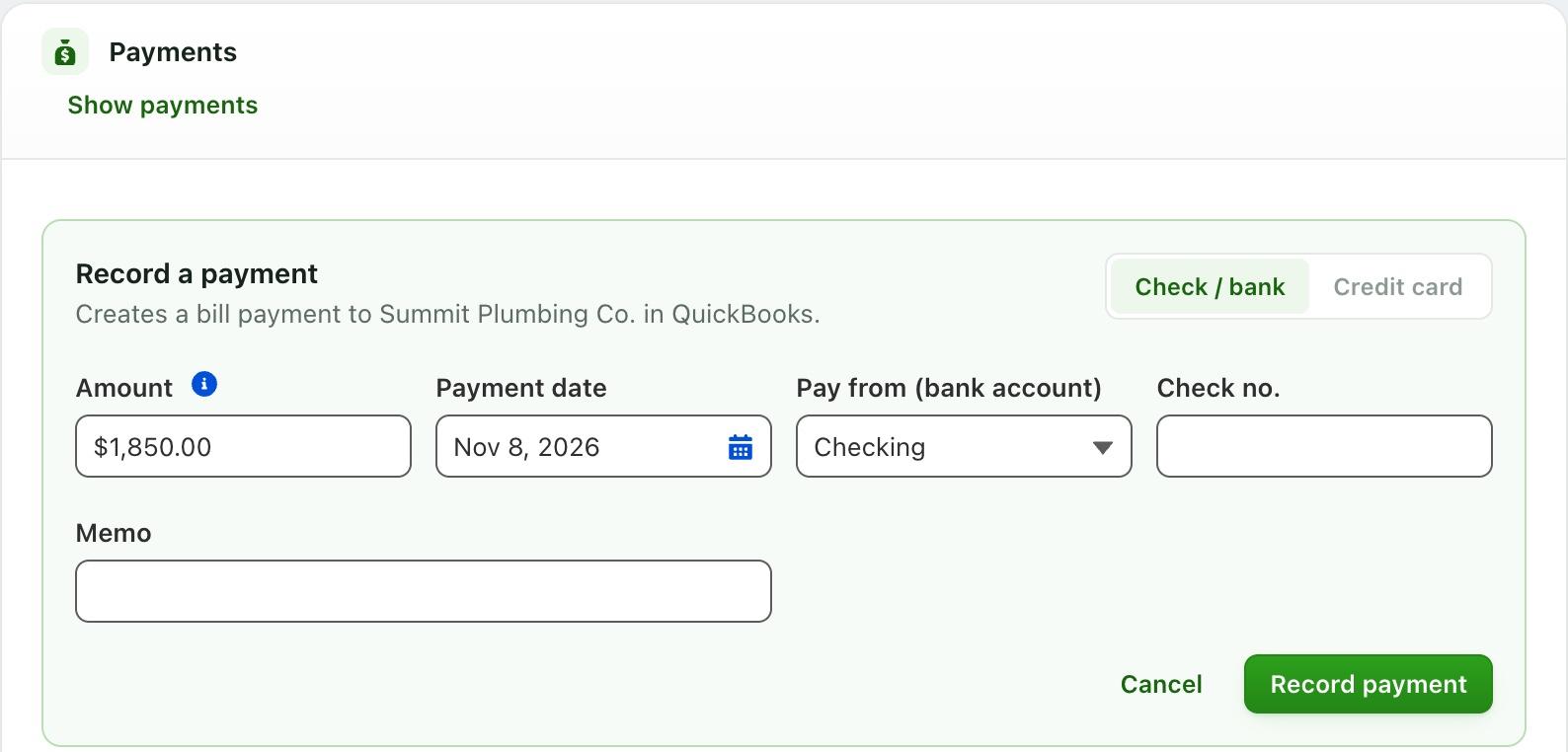
Recording a payment on a bill. Demo org data.
Every bill in one placethe Bills page in the Tally Hub
What you owe, what's late and what needs a look, across every record. Bills already in QuickBooks can come in too.
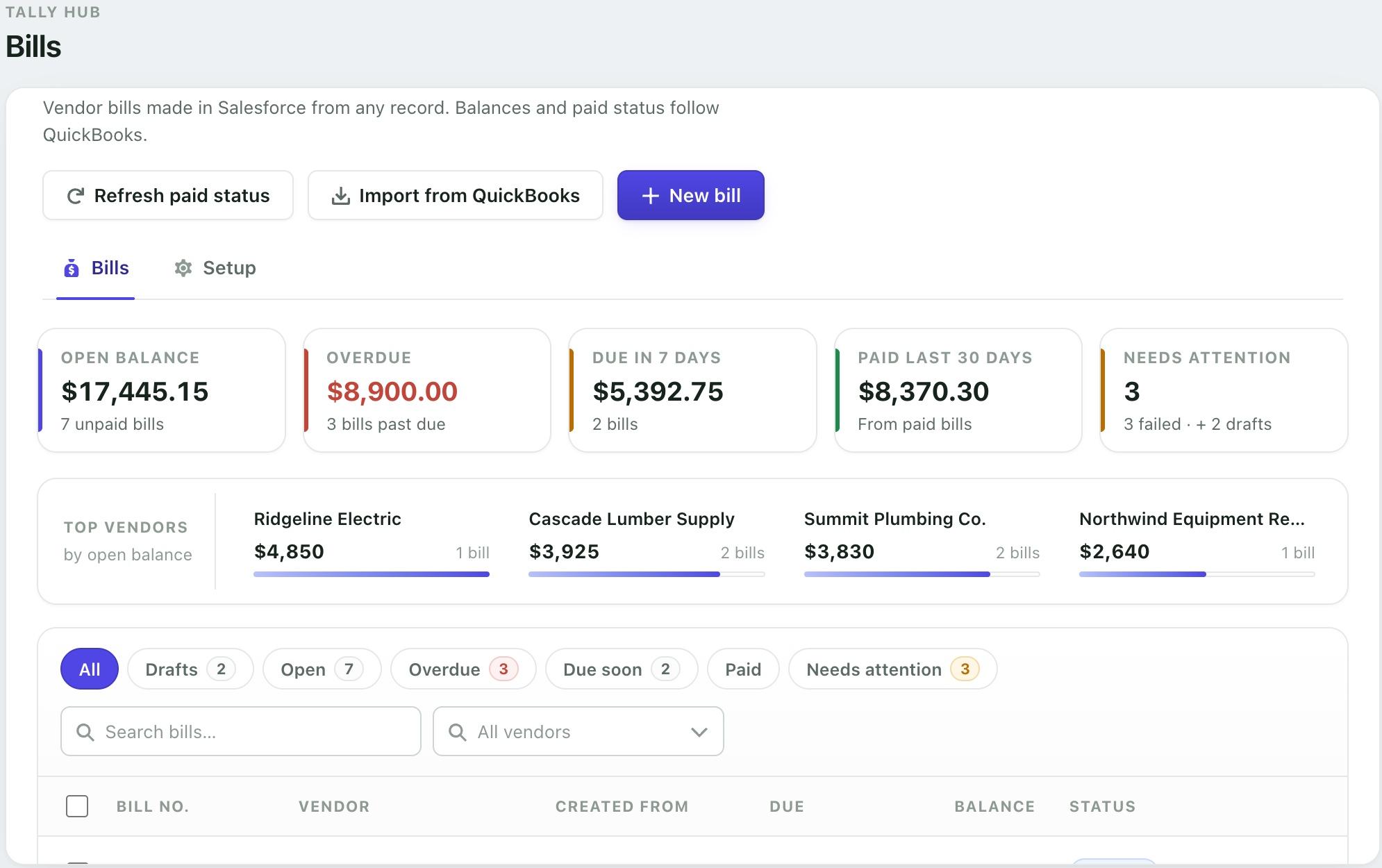
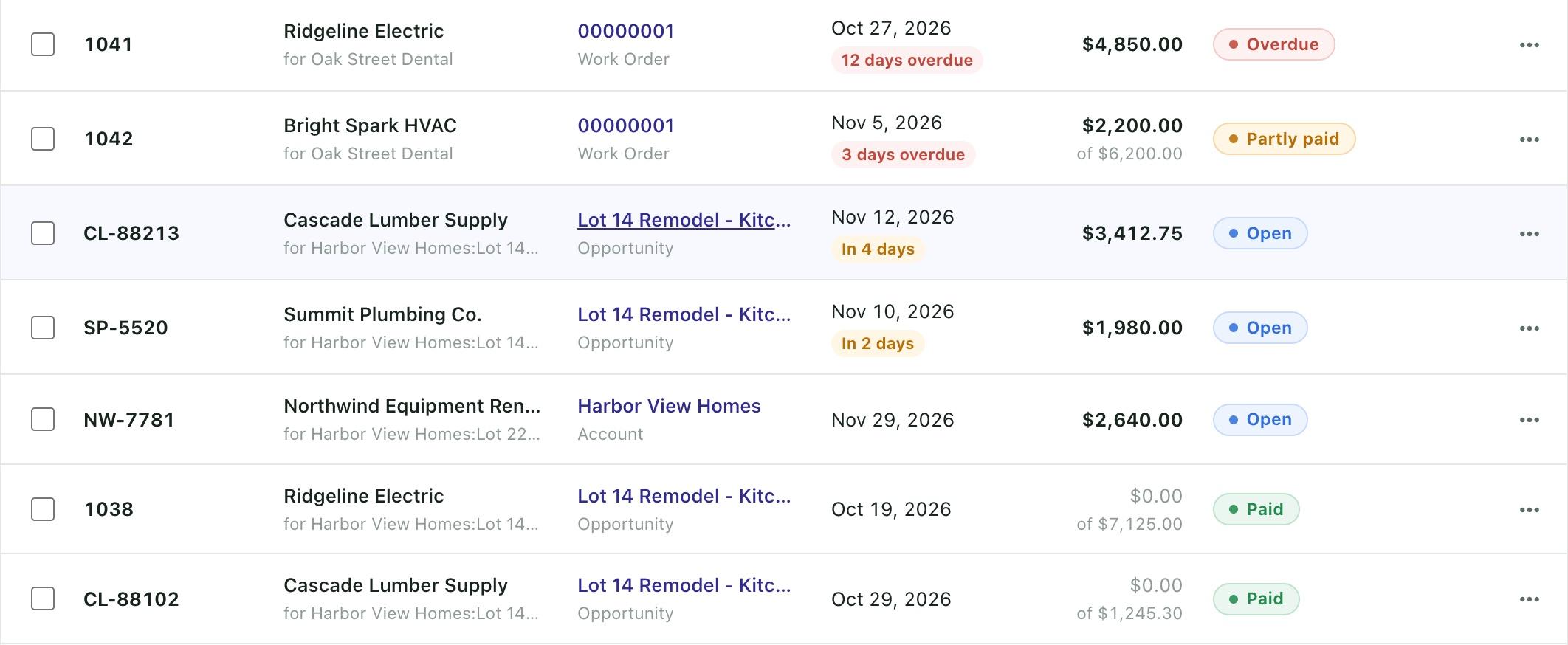
The Bills page of the Tally Hub in a scratch org with demo data.
Where you stand
Open balance, overdue, due in the next 7 days, paid in the last 30 days, and the bills that need attention: drafts, pending and failed.
Who you owe most
Top vendors by open balance, with how many bills each.
Find and act in bulk
Filters, search and a vendor picker. Select bills to Send or Refresh them together, or start a New bill for any record or none.
Import from QuickBooks
Bills entered in QuickBooks come into Salesforce with their lines and payments. Running it again updates them in place.
Your changes are kept
A bill with Salesforce changes that haven't reached QuickBooks yet is never overwritten by an import.
New QuickBooks bills, as they're entered
Turn on Sync Bills from QBO to SF and bills entered in QuickBooks come in by themselves.
Five Flow actionsbills with no one clicking
The same object defaults and macros the form uses, in Flow Builder under QBO Bill. A Flow can make a bill when a work order closes, send the drafts someone approved, or pay what's due.
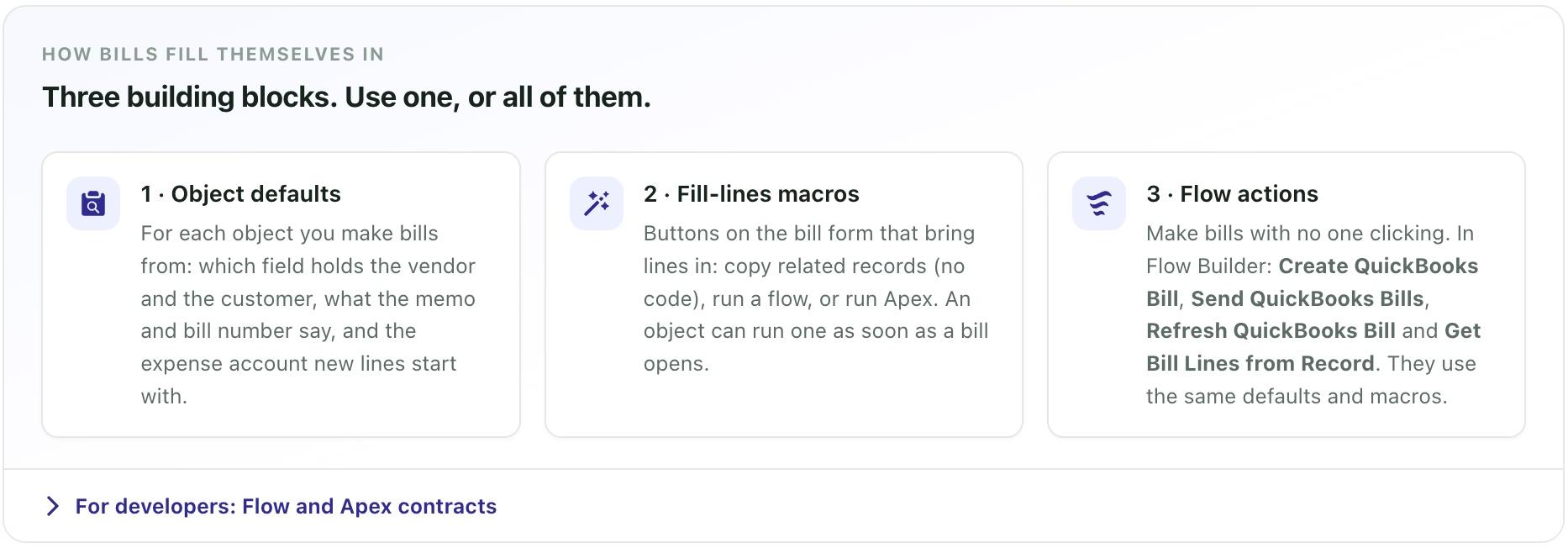
Each action returns Success and an error message, so the Flow can react. When a transaction can't call QuickBooks, such as a record-triggered Flow's immediate path, Create and Send save the bill as Pending and send it in the background.
- 1
Create QuickBooks Bill
QBObyTALLY__QB_InvocableCreateBillA bill for a vendor and a record, with your lines or a macro by name, the record's defaults, and the option to save it as a draft. Returns the bill, its QuickBooks id and status.
- 2
Send QuickBooks Bills
QBObyTALLY__QB_InvocableSendBillsSends saved bills: approved drafts, pending or failed ones.
- 3
Refresh QuickBooks Bill
QBObyTALLY__QB_InvocableRefreshBillReads bills back from QuickBooks and returns Balance, Paid Status, Paid Date and Is Paid.
- 4
Pay QuickBooks Bill
QBObyTALLY__QB_InvocablePayBillRecords a check or credit card payment, for the balance or part of it, and returns the new balance and paid status.
- 5
Get Bill Lines from Record
QBObyTALLY__QB_InvocableGetBillLinesRuns a macro and returns the lines, total, vendor and customer without creating anything, to show on a screen or pass on.
Pricing
$7,290
per year, Tally Scale
Bills come with Tally Scale, along with payment processing, recurring invoicing and chart of accounts sync.
In Tally Scale
- Create billsIncluded
- Sync chart of accountsIncluded
- Unified payment processingIncluded
- Recurring invoicingIncluded
- Everything in Tally GrowthIncluded