Summer 2026
· July 2026LatestMeet Product Mapping — a visual workbench that puts every QuickBooks item next to its Salesforce product, so you can see exactly what's linked, fix what isn't in a few clicks, and trust every invoice line from then on.

Your whole catalog on one screen
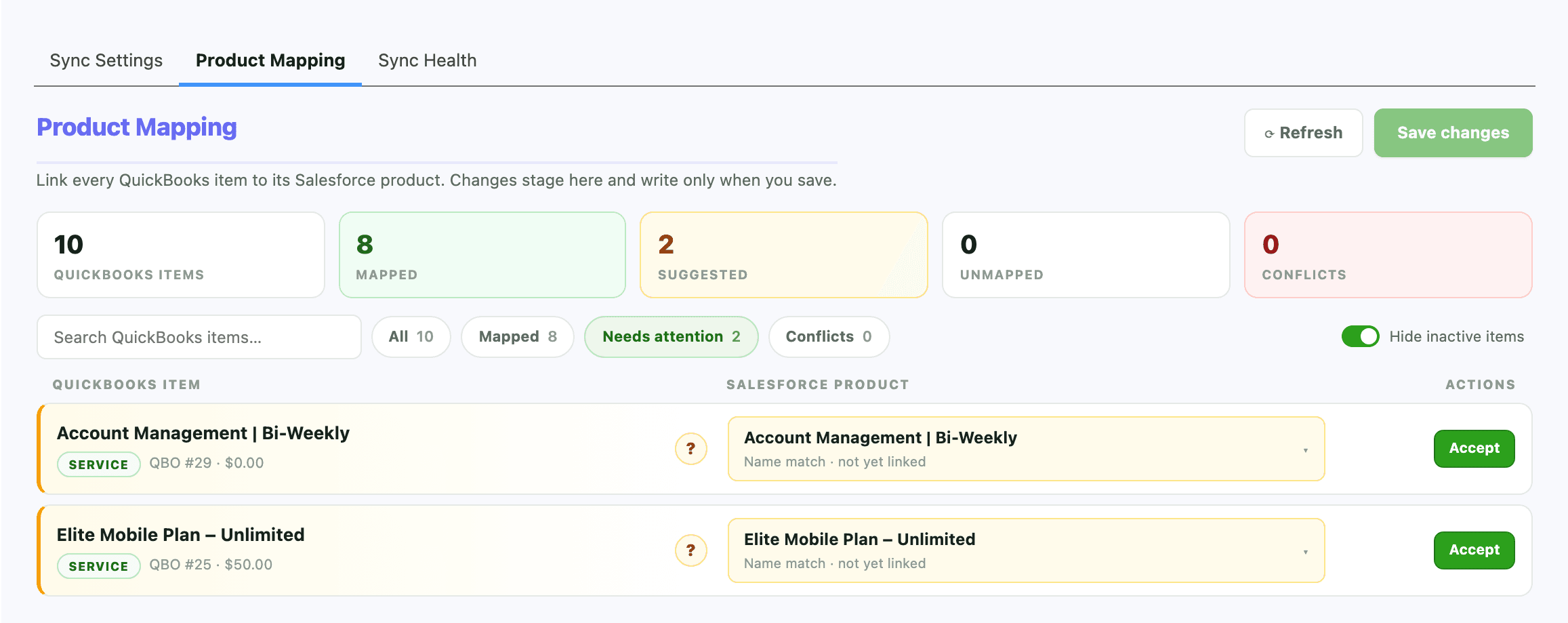
The Sync Products hub now includes a live, side-by-side view: every QuickBooks item on the left, the Salesforce product it's linked to on the right. Color-coded tiles total up what's mapped, suggested, unmapped, and conflicting, and one filter jumps straight to the rows that need attention — no more exporting both catalogs to a spreadsheet to compare them.
Learn morePick your mapping style: manual or automatic
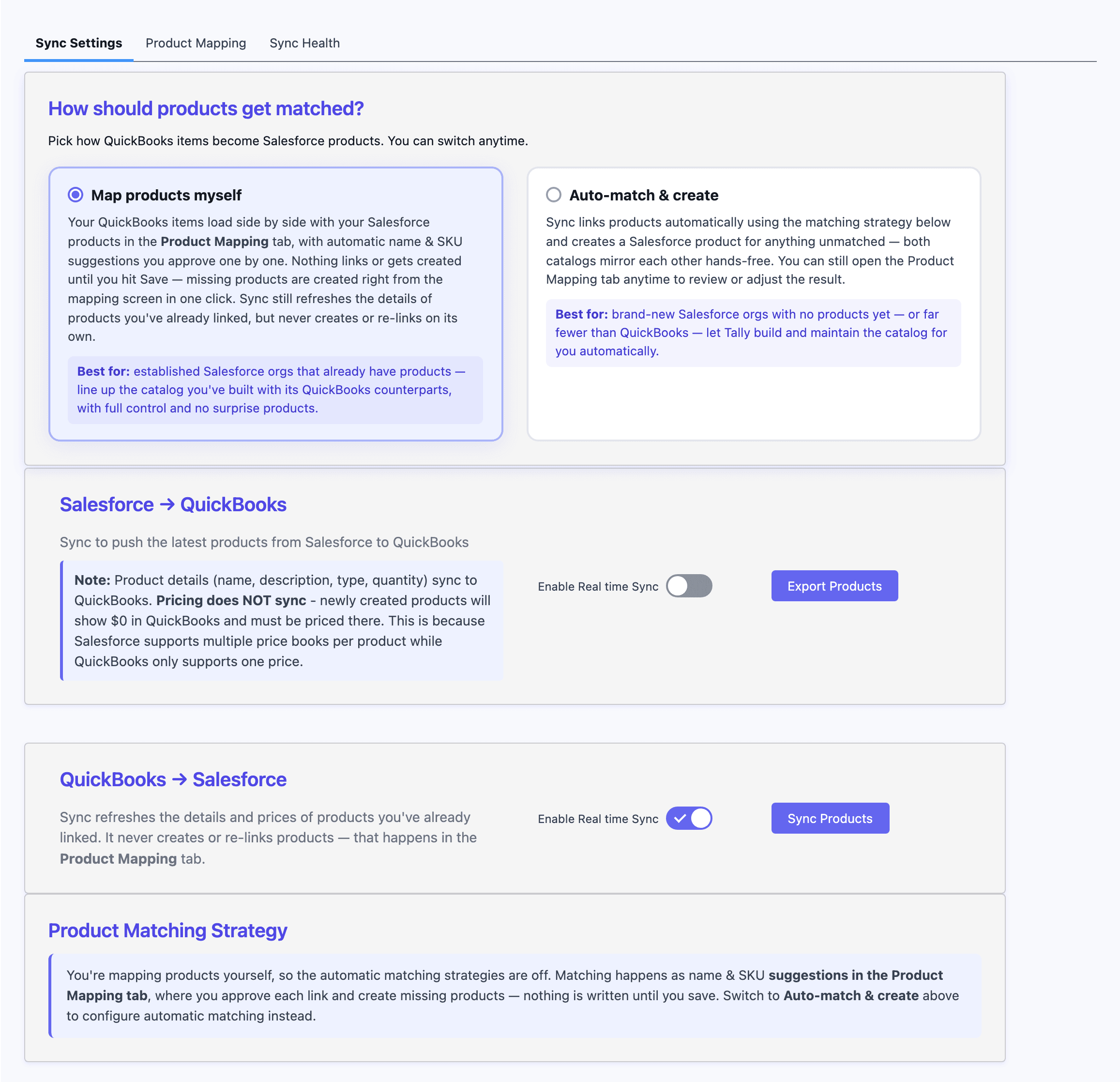
A new choice at the top of Sync Settings. “Map products myself” is built for established Salesforce orgs that already have a product catalog: your QuickBooks items load side by side with automatic suggestions, and sync never creates or re-links a product on its own. “Auto-match & create” is for brand-new orgs with no products yet (or far fewer than QuickBooks) — Tally builds and maintains the Salesforce catalog automatically using your matching strategy. Switch anytime; the settings page reshapes itself around your choice.
salesforce.com/lightning/tally
Smart match suggestions — you approve every one
When a QuickBooks item and an unlinked Salesforce product share a name or SKU, Tally pre-fills the match in amber and waits for you. One click on Accept links them. Nothing is ever linked behind your back, so a coincidental name can never quietly merge the wrong products.
salesforce.com/lightning/tally
Search-as-you-type linking, with guardrails
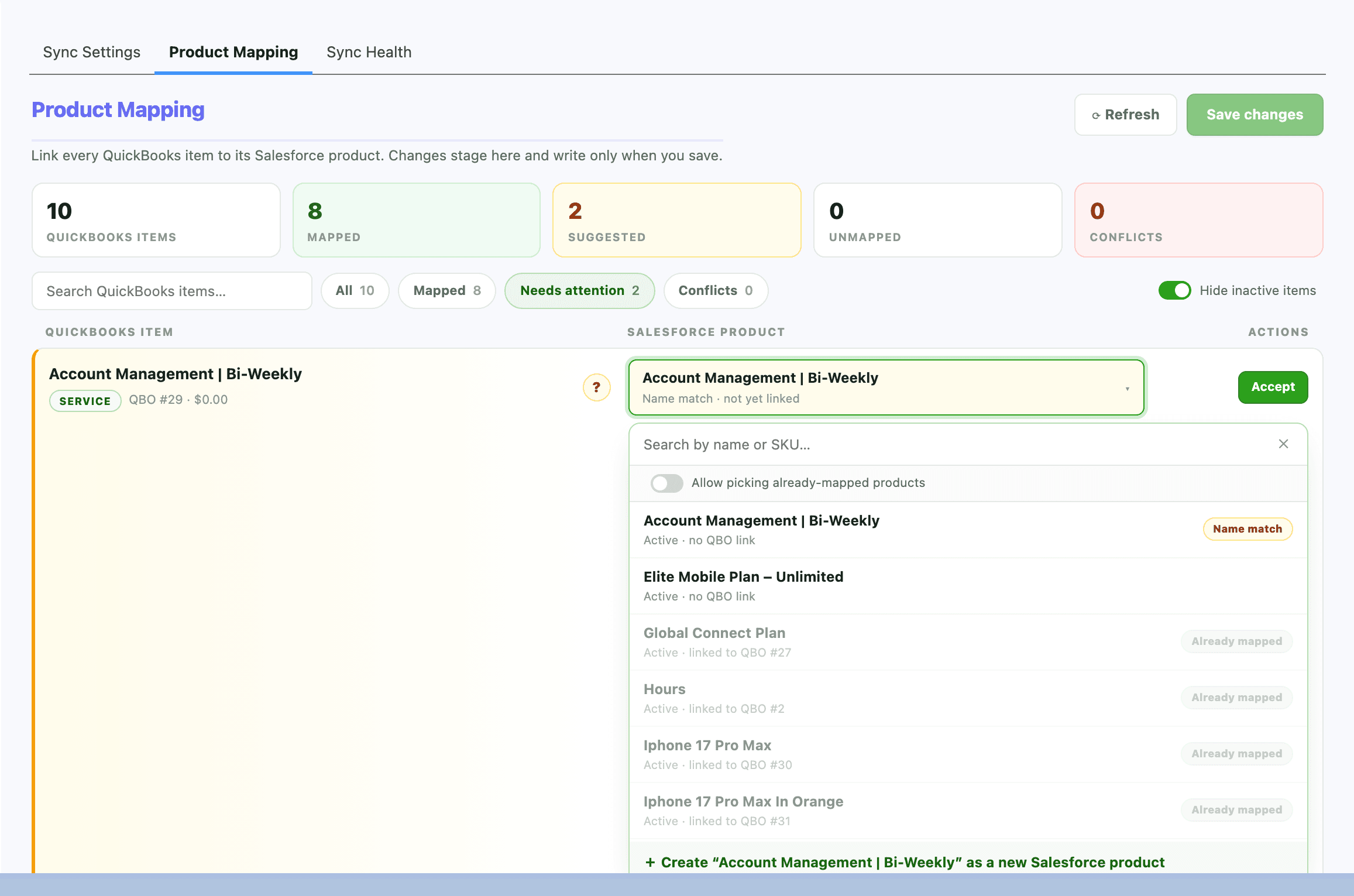
Open any row and search your Salesforce catalog by name or SKU. Every result shows its link status before you pick, and products already linked to another QuickBooks item appear disabled with the reason — you always know why an option is off the table. And when sharing is the point, a deliberate override toggle unlocks those options and spells out exactly what will happen — for example, that two Salesforce products will now sell the same QuickBooks item — before anything saves.
salesforce.com/lightning/tally
One click when the product doesn't exist yet
QuickBooks has an item Salesforce doesn't? No pre-sync required — your QuickBooks catalog is already loaded on screen, so Create in SF stages the product from those details (name, SKU, type, price) and builds it when you save, with the QuickBooks link stamped from the very first moment. No half-created products, no cleanup pass later.
Learn moreConflict detection and cleanup
If two Salesforce products ever ended up linked to the same QuickBooks item, the row turns red and shows every claimant. Pick the one that should win and Tally unlinks the rest — dirty data you may not have known you had, resolved in seconds.
Nothing saves until you say so
Edits stage on screen with a running count on the Save button, then write in one batch. Every row reports back individually — successes turn green in place, failures show the reason in plain English right on the row. And if a sync job changed a mapping while you worked, Tally rejects just that row instead of silently overwriting it.
A cleaner Sync Products page
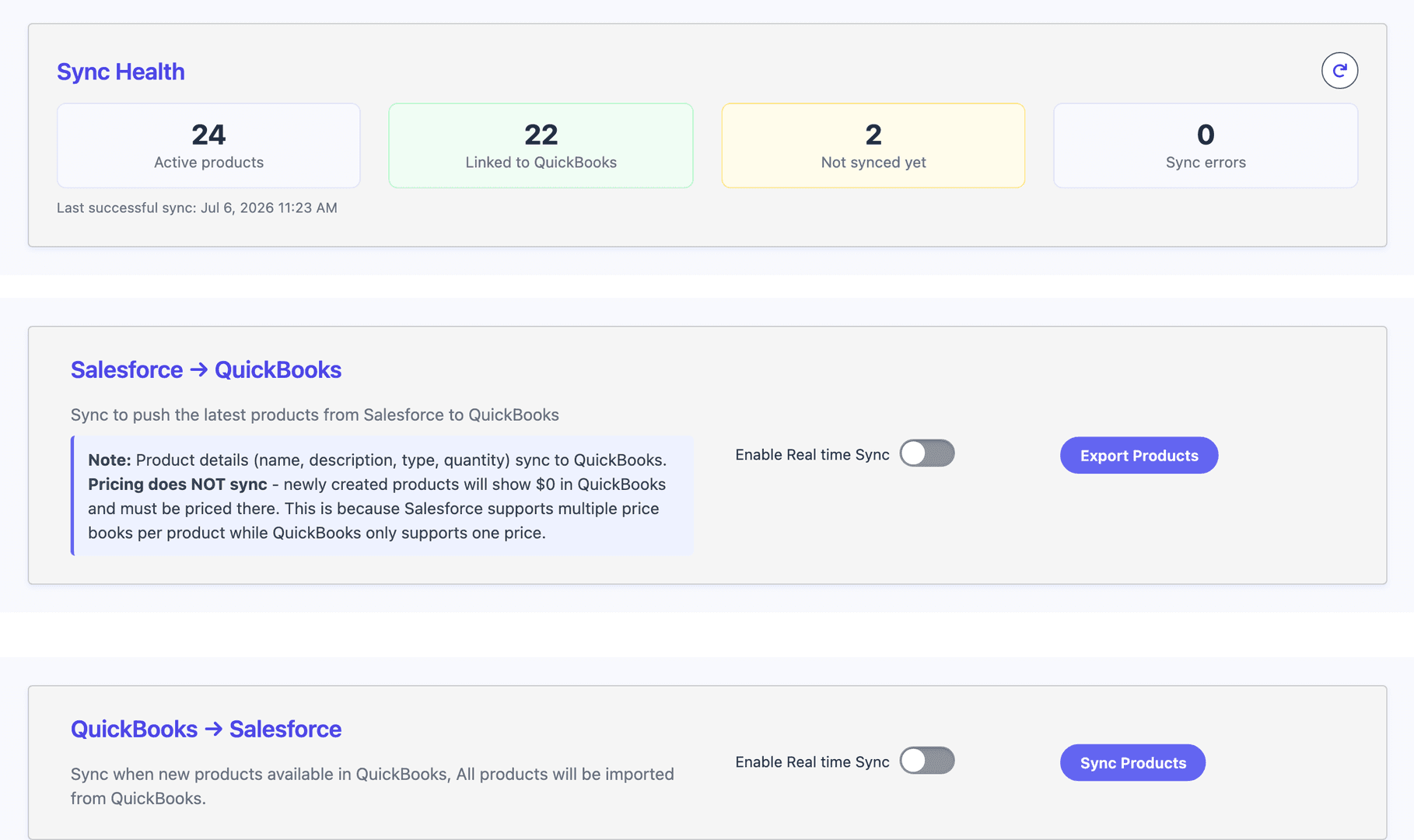
Sync Products is now organized into three tabs — Sync Settings up front, with Product Mapping and Sync Health one click away — so setup, mapping, and monitoring each get a full page instead of sharing one long scroll.