
Your QuickBooks tax rateson documents built in Salesforce
Sync your QuickBooks tax codes and rates into Salesforce, then pick the right one on an invoice, estimate or sales receipt. The tax is worked out on the taxable lines, and the document goes to QuickBooks with the same code.

Sync Sales Tax in the Tally Hub. Fictional tax codes.
The rates you already havekept current
Tax codes stay managed in QuickBooks. Tally copies them into Salesforce and can refresh them on a schedule.
Codes and their rates
Each QuickBooks tax code comes in with its description, its component rates and the combined rate.
Refresh on a schedule
Schedule sync refreshes tax codes and rates from QuickBooks automatically.
Only active codes
The tax rate list on a document shows the active codes.
Taxable per line
Each line has a Tax checkbox, so only taxable lines count toward the taxable subtotal.
Discount, then tax
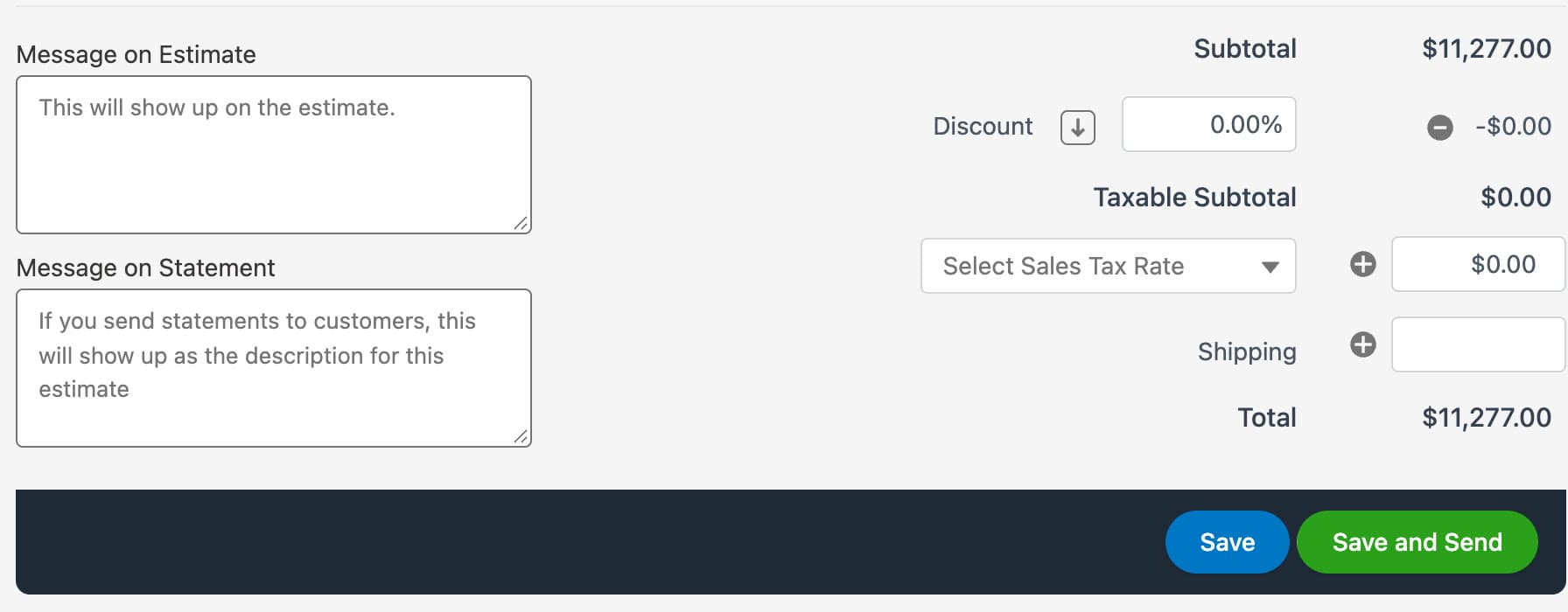
Apply a discount and the form shows the subtotal, taxable subtotal, tax, shipping and total.
In Flows too
The Easy Setup invoice and sales receipt actions take a Tax Rate Record Id and Apply Tax After Discount.
On the formnext to the totals
Choose a rate from Select Sales Tax Rate at the bottom of the invoice, estimate or sales receipt, and the tax fills in beside the taxable subtotal.
Set it up oncefrom the Tally Hub
Everything is on the Sync Sales Tax page.
- 1
Sync tax codes
QBObyTALLY__TaxCode__cPulls every QuickBooks tax code and rate into Salesforce.
- 2
Schedule the refresh
So a rate change in QuickBooks reaches Salesforce without anyone remembering to sync.
- 3
Build documents as usual
Mark taxable lines and choose the tax rate on the form.
Pricing
$5,899
per year, Tally Growth
Custom tax rates come with Tally Growth and Tally Scale, and Growth is Avalara integration ready.
In Tally Growth
- Custom tax ratesIncluded
- Avalara integration readyIncluded
- Custom fieldsIncluded
- QuickBooks class trackingIncluded
- Automation readyIncluded
Questionsabout custom tax rates
Does Tally support custom tax rates?
Do tax rates stay up to date?
Can automated invoices use a tax rate?
More of the package
All features- Invoicing
- Recurring Invoicing
- Payment Processing
- Estimates
- Sales Receipts
- Purchase Orders
- Product Sync
- Automation
- Class Tracking
- Custom Fields
- Data Migration