How to Download QuickBooks Invoices as PDFs from Salesforce
Generate and download official QuickBooks invoice PDFs straight from Salesforce with Tally — one click, no switching tabs. Here's exactly how it works.
How to Download QuickBooks Invoices as PDF’s
tallyi March 21, 2023
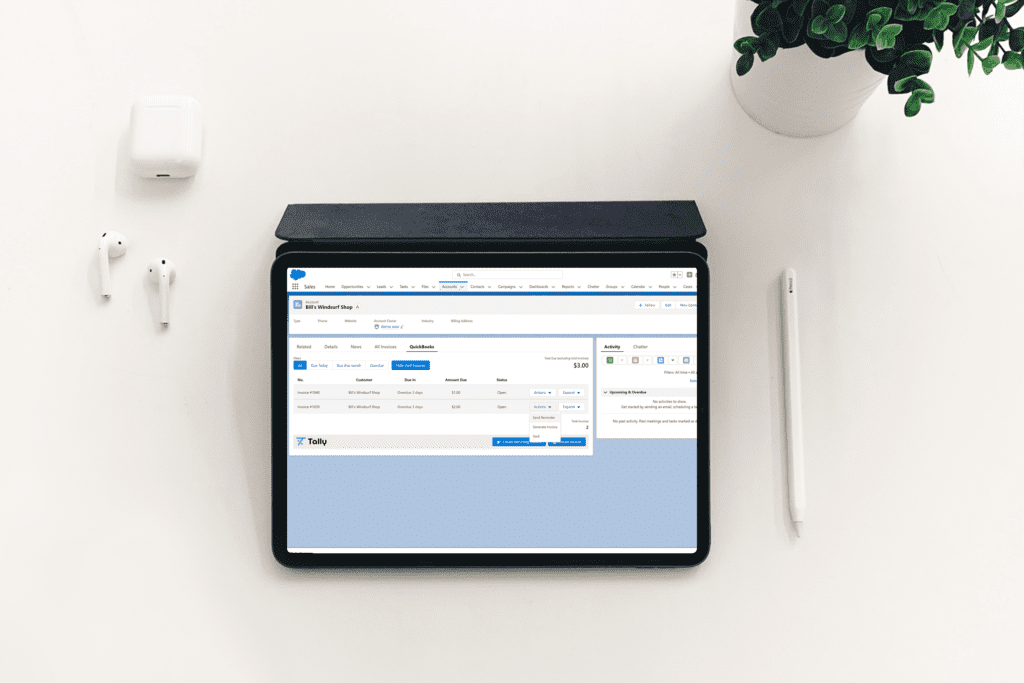
Downloading invoices as PDFs in Salesforce is a crucial step in managing your invoicing process. Here are the steps to follow to download Invoices as PDFs in Salesforce leveraging Tally’s integration: Step 1: Ensure that the invoice has already been Saved, or Saved and Sent. (If you are familiar with Tally’s features already, then you know our Customers have a choice to take either of these actions immediately upon Invoice creation). Once the Invoice has been saved, it can be downloaded as a PDF. Step 2: Click on the “Actions” toggle on the invoice. The Actions toggle is located on the right-hand side of the invoice, most commonly viewed in the Filterable Report which displays all Invoices related to a specific Salesforce Account. Step 3: Left-click on the “Generate” button. This will generate a PDF of the invoice, which can be downloaded to your local PC or Device. Step 4: Alternatively, you can expand the invoice and click on the “Generate” button to download the PDF.
Step 5 (OPTIONAL): Many Customers wish to store their Invoice PDF’s under either the Salesforce Account, and/or Opportunity which it relates to. Please note, that once an Invoice is downloaded, it can be added to as a File to the “Files” Object in Salesforce. This ensures you are fully organized, with Invoices stored exactly where you need them! It’s that simple! Tally’s QuickBooks and Salesforce integration makes it easy to download invoices as PDFs from Salesforce, allowing you to manage your invoicing process more efficiently.
Share on
PrevPreviousHow to Map Your Salesforce Accounts With Your QuickBooks Customers
NextHow Non-Profits (NFP’s) can Benefit from Tally’s Recurring InvoicingNext
POST RELATED