 Estimates & quotes
QuickBooks estimates in Salesforce — that invoice themselves
Feel right at home with the exact same QuickBooks estimates UI in Salesforce — with even more functionality. QuickBooks won't automatically send an invoice when an estimate is approved, but Tally will.
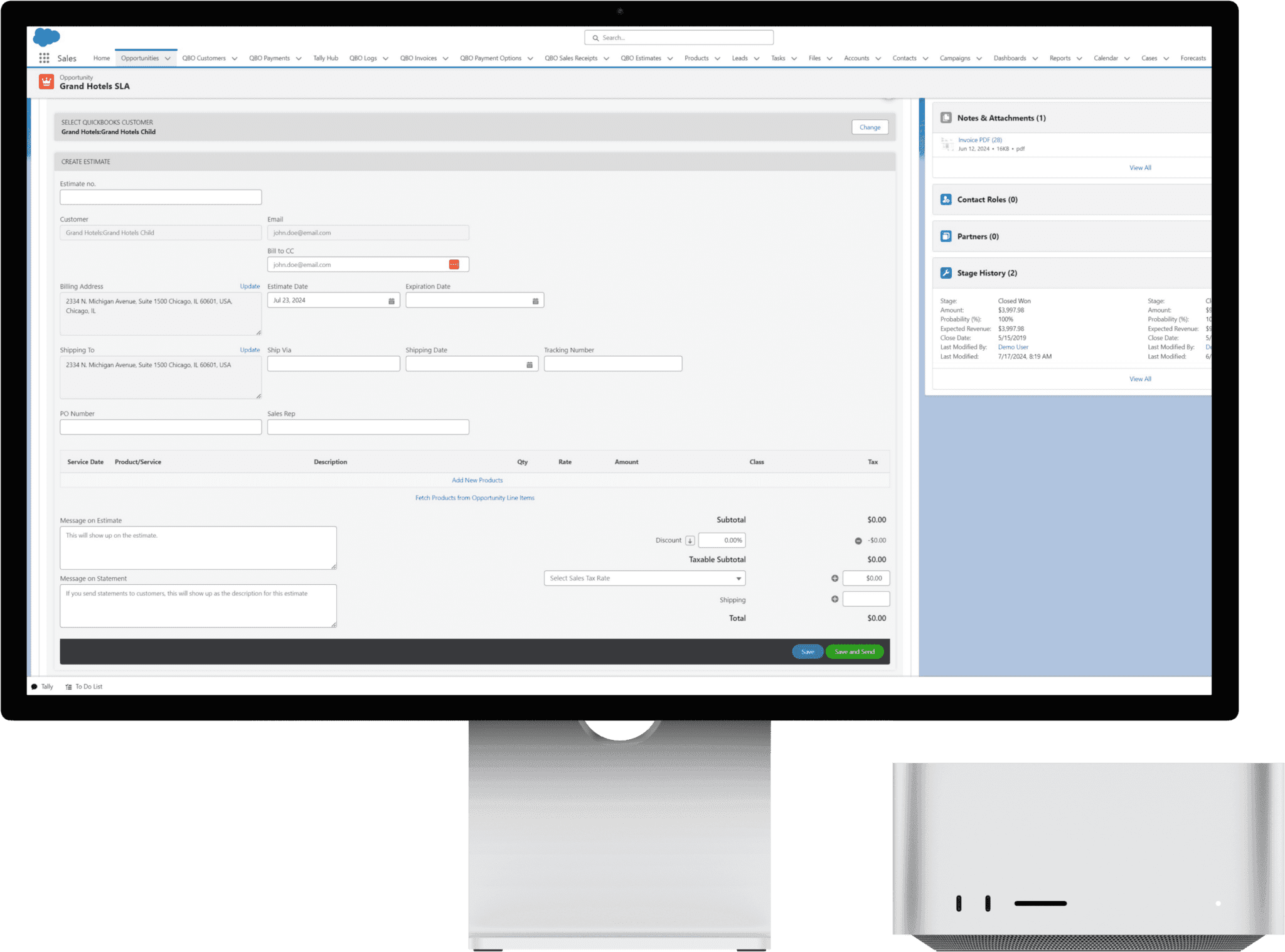
Send estimates — and convert them too
Estimates, quotes, whatever you call them, Tally makes it easy. Manually generate estimates from Salesforce; when a customer approves, it reflects in Salesforce as approved. And with Tally's automation, the invoice can go out while you're asleep, on a coffee run, or doing the things that can't be automated.
How it works
Generate estimate
From Opportunities to custom objects, generate estimates without ever leaving the record.
Customer approves
Status starts as Pending — you or the customer can set Approved or Denied. Bi-directional sync reflects changes in Salesforce.
Updates in Salesforce
Two words, six syllables: bi-directional sync. Changes in QuickBooks show up in Salesforce automatically.
Manual or automated invoicing
Convert to an invoice yourself, or let automation generate and send it on your behalf.
One click turns an approved estimate into an invoice
The convert flow is fully wired — no re-keying, no drift between Salesforce and QuickBooks.
- Pre-fills the invoice from the estimate — discount, shipping, tax, addresses, and custom fields.
- Links the estimate and invoice together in QuickBooks.
- Marks the estimate Converted automatically.
- Fetch products from the Opportunity and Generate Terms with a click.
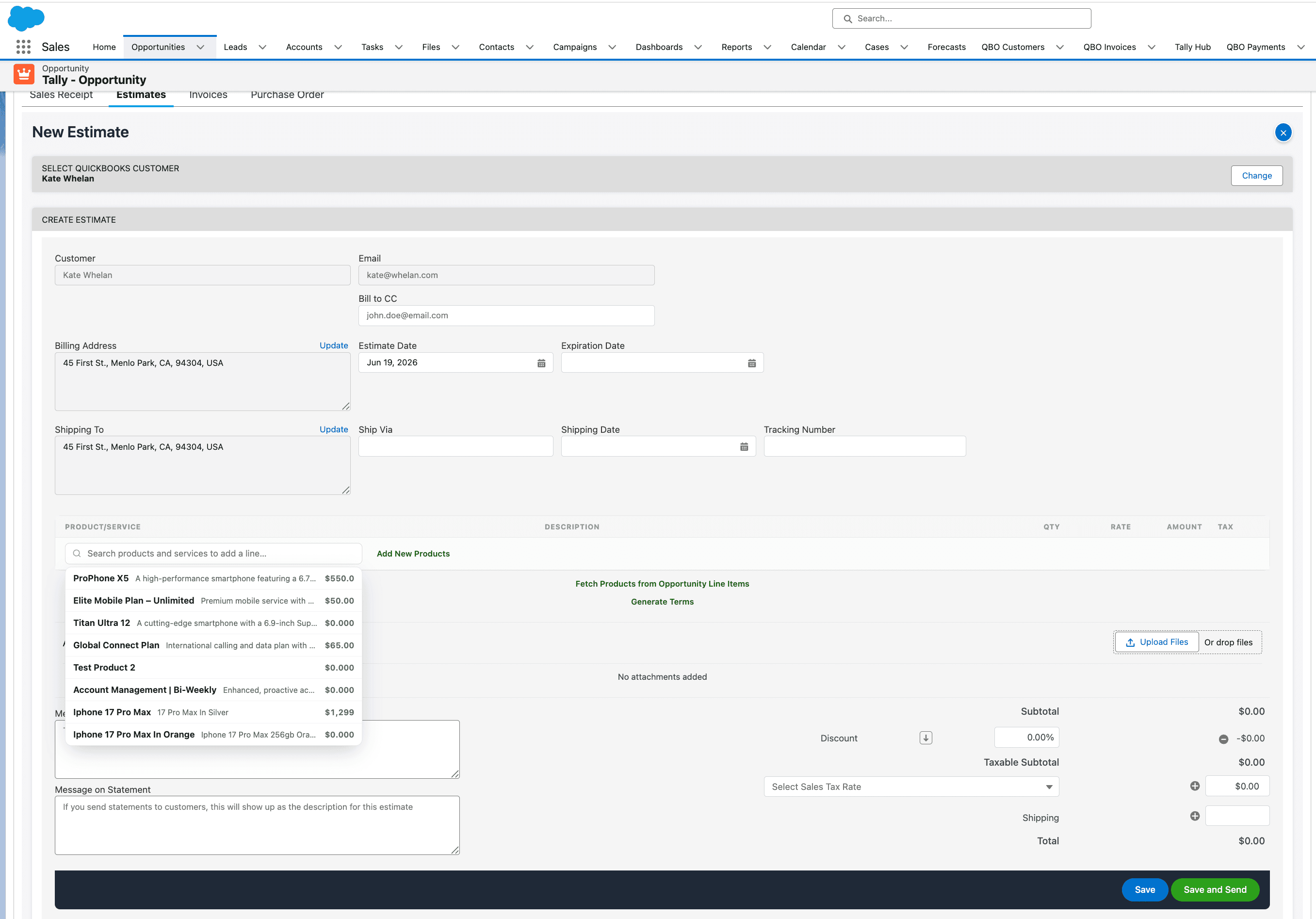
Edit, resend, accept, and PDF — right from the viewer
Every action on the estimate viewer writes straight back to QuickBooks, so Salesforce and your books stay in lockstep.
Edit & save back
Amend an estimate and push the changes straight to QuickBooks Online.
Save & Send / resend
Re-send the estimate to the customer through QuickBooks at any time.
Mark Accepted / Update Status
Set Pending, Approved, or Denied — or let the customer update it, synced both ways.
Generate PDF (from QuickBooks)
We don't render the PDF — QuickBooks does. Tally makes the callout, fetches the official QuickBooks estimate PDF, and stores it on the record.
Convert to Invoice
One click pre-fills and links an invoice from the estimate, and marks it Converted.
Convert to Purchase Order
Spin a purchase order out of the estimate without re-entering line items.
Estimates that send the invoice for you
Drop the “Create Estimate on QBO” action into a Flow to generate estimates automatically — and when one is approved, let Tally send the invoice while you're asleep or on a coffee run.
Create Estimate on QBO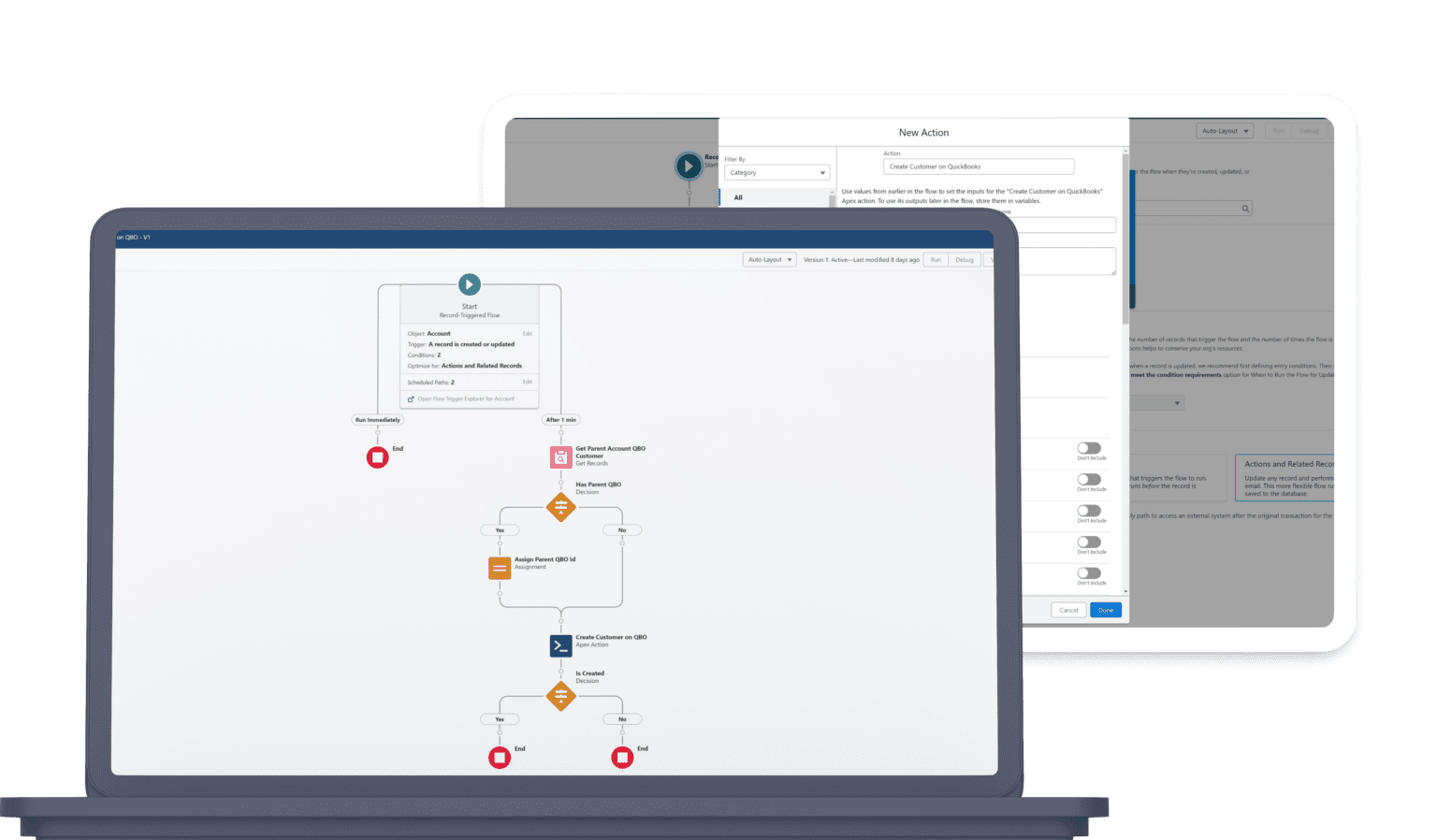
Estimates FAQ
Does Tally use the same estimates UI as QuickBooks?
Yes — the exact same QuickBooks estimates experience, embedded in Salesforce, with added functionality like one-click convert-to-invoice and bi-directional status sync.
What happens when a customer approves an estimate?
QuickBooks won't automatically send an invoice when an estimate is approved — but Tally will. Approvals sync back to Salesforce automatically via bi-directional sync.
Can I convert an estimate to an invoice?
Yes, in one click. The convert flow pre-fills the invoice from the estimate (discount, shipping, tax, addresses, and custom fields), links them in QuickBooks, and marks the estimate Converted.
Can I edit, resend, or download an estimate as a PDF?
Yes. From the estimate viewer you can edit and push changes back to QuickBooks, Save & Send to resend it, and Generate PDF. Tally doesn't render the PDF itself — QuickBooks generates the official estimate PDF and Tally makes the callout to retrieve it and store it on the record.
Can estimates be automated?
Yes. The “Create Estimate on QBO” Salesforce Flow action generates estimates automatically, and you can automate the invoice that follows an approval.
Ready to unify QuickBooks and Salesforce?
Unify your QuickBooks experience directly from your Opportunities in Salesforce.