 Sales Receipts
Instant QuickBooks sales receipts from Salesforce
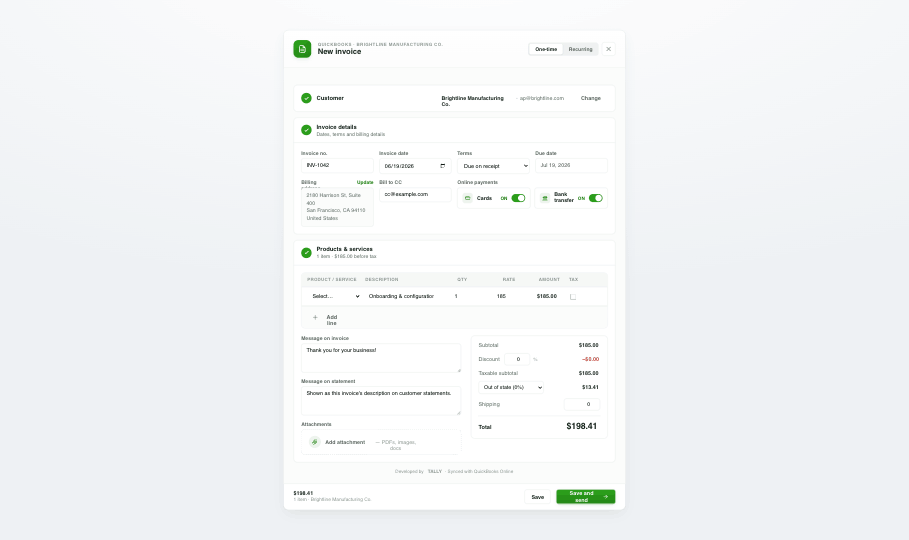
Record paid-in-full transactions and issue sales receipts directly from Salesforce, posted straight to the right QuickBooks income account.
Overview
For transactions that are paid on the spot, sales receipts are the cleanest way to record revenue. Tally lets you generate QuickBooks sales receipts from Salesforce and post them to QuickBooks Online in one click, keeping your income accounts accurate without an extra step — perfect for retail, events, and immediate-payment sales motions.
- Issue QuickBooks sales receipts for paid-in-full transactions in one click.
- Posts directly to the correct QuickBooks Online income account.
- Perfect for retail, events, and immediate-payment sales.
- Keeps revenue recognition accurate and audit-ready.
How it works
Capture the sale
From the Salesforce record, create a sales receipt for the paid transaction.
Post to QuickBooks
Revenue lands in the right QuickBooks Online income account automatically.
Stay audit-ready
Every receipt is traceable end to end across both systems.
Automate sales receipts with Flows
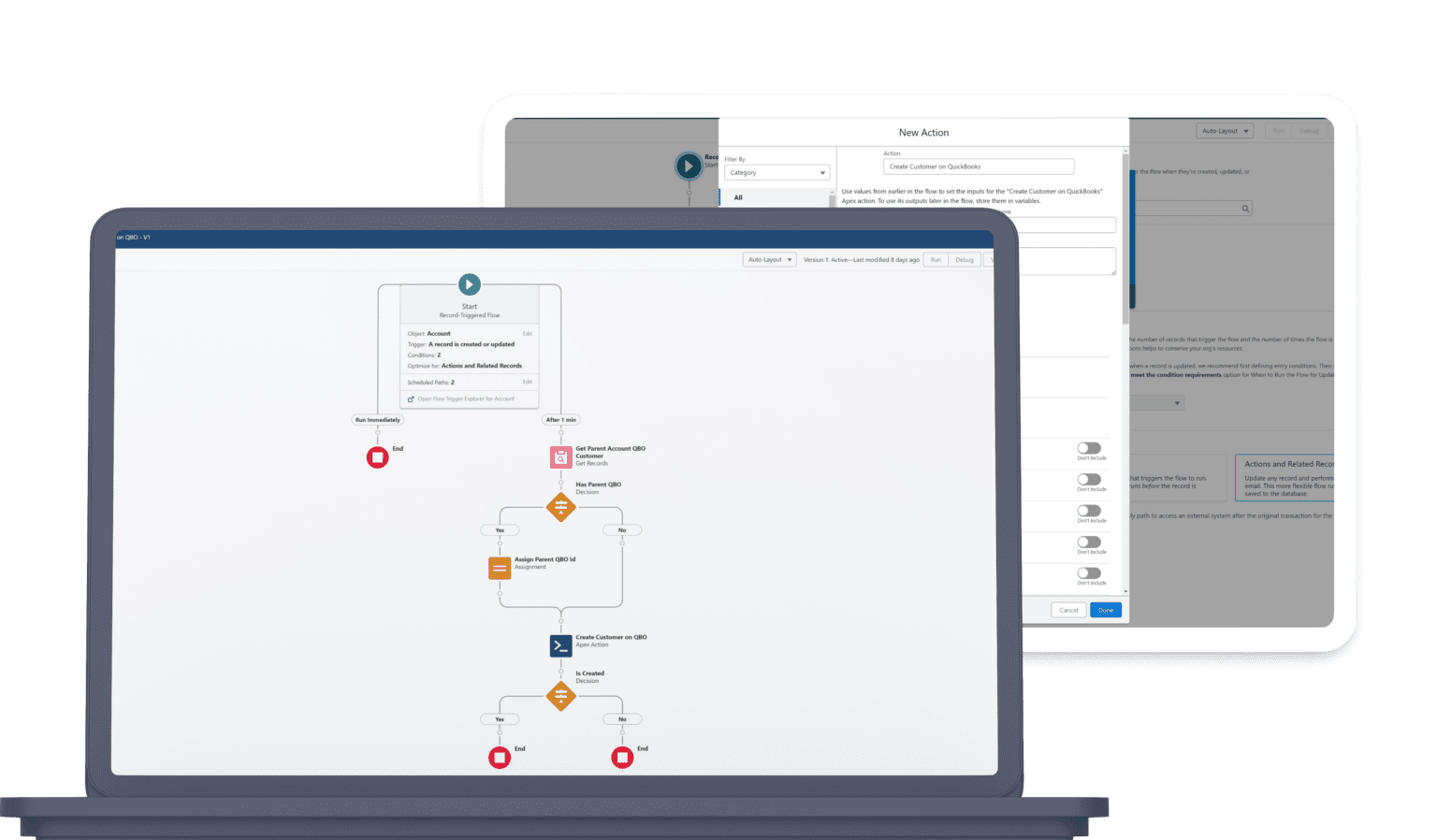
The “Create Sales Receipt on QBO – Easy Setup” action builds a full receipt inside a Flow — line items, billing address, email, and custom fields — and posts it to QuickBooks automatically.
Create Sales Receipt on QBO - Easy Setup- Fire a sales receipt automatically when a transaction is paid in full.
- Pull line items and addresses straight from the record.
- Email the receipt to the customer on creation.
Sales Receipts FAQ
What's the difference between an invoice and a sales receipt in Tally?
Use an invoice when payment is due later, and a sales receipt when a transaction is paid in full on the spot. Tally supports both, posted to QuickBooks Online.
Where does the revenue post?
Sales receipts post directly to the correct QuickBooks income account, keeping revenue recognition accurate and audit-ready.
Explore more features


Ready to unify QuickBooks and Salesforce?
Unify your QuickBooks experience directly from your Opportunities in Salesforce.