 Class Tracking
QuickBooks class tracking, directly out of Salesforce
Categorize and track income, expenses, and other financial transactions in a more granular, organized way — without leaving Salesforce.
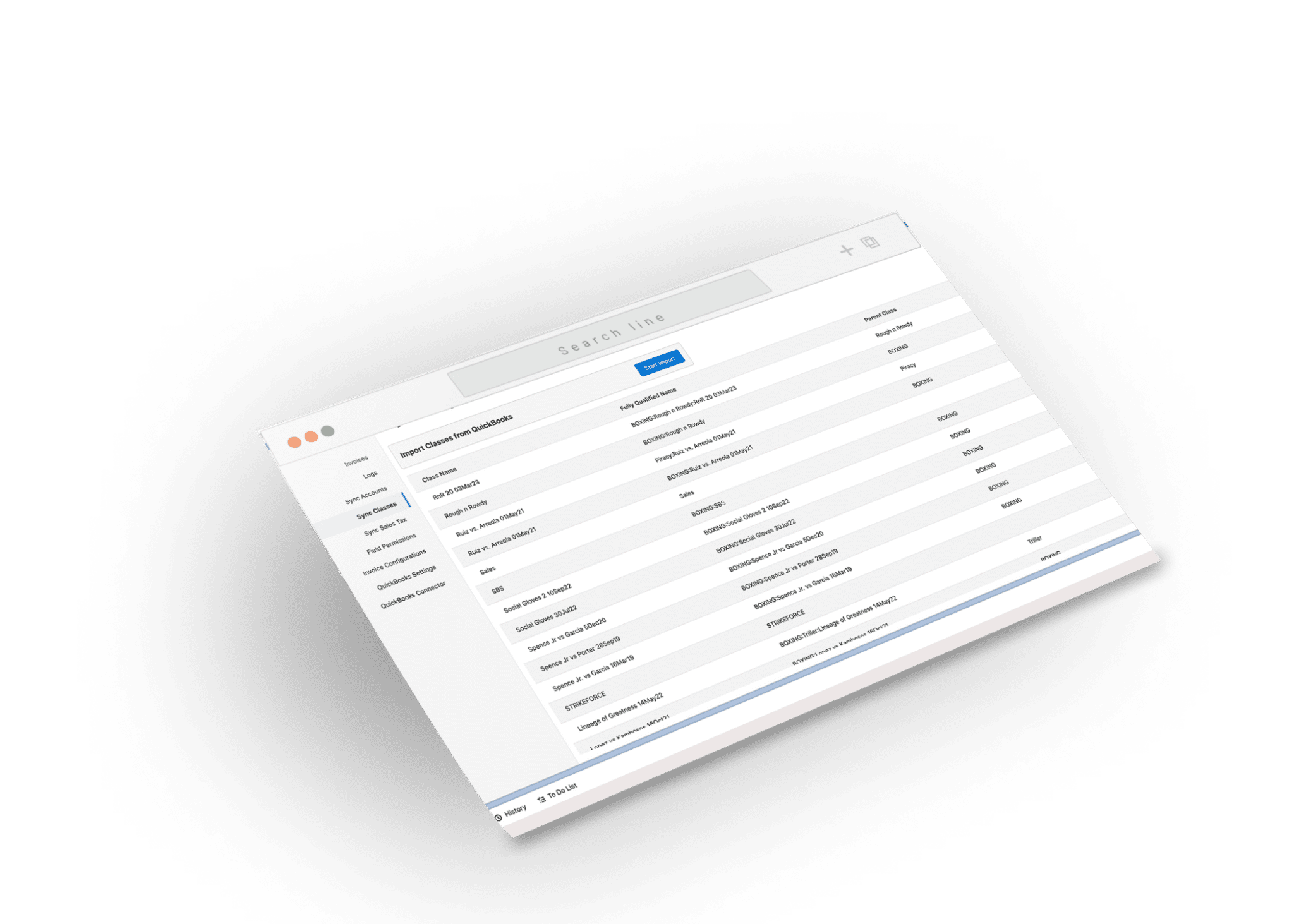
Granular tracking, zero busywork
Add a class per line item
Manually select a synced class when adding products to an invoice — granular, line-by-line.
Automatic sync
When a new class is added in QuickBooks, it's immediately available in Salesforce. No manual syncing.
Create new classes
No need to open QuickBooks — create a class directly from Salesforce and it reflects back in QuickBooks.
Automate class tracking in Salesforce
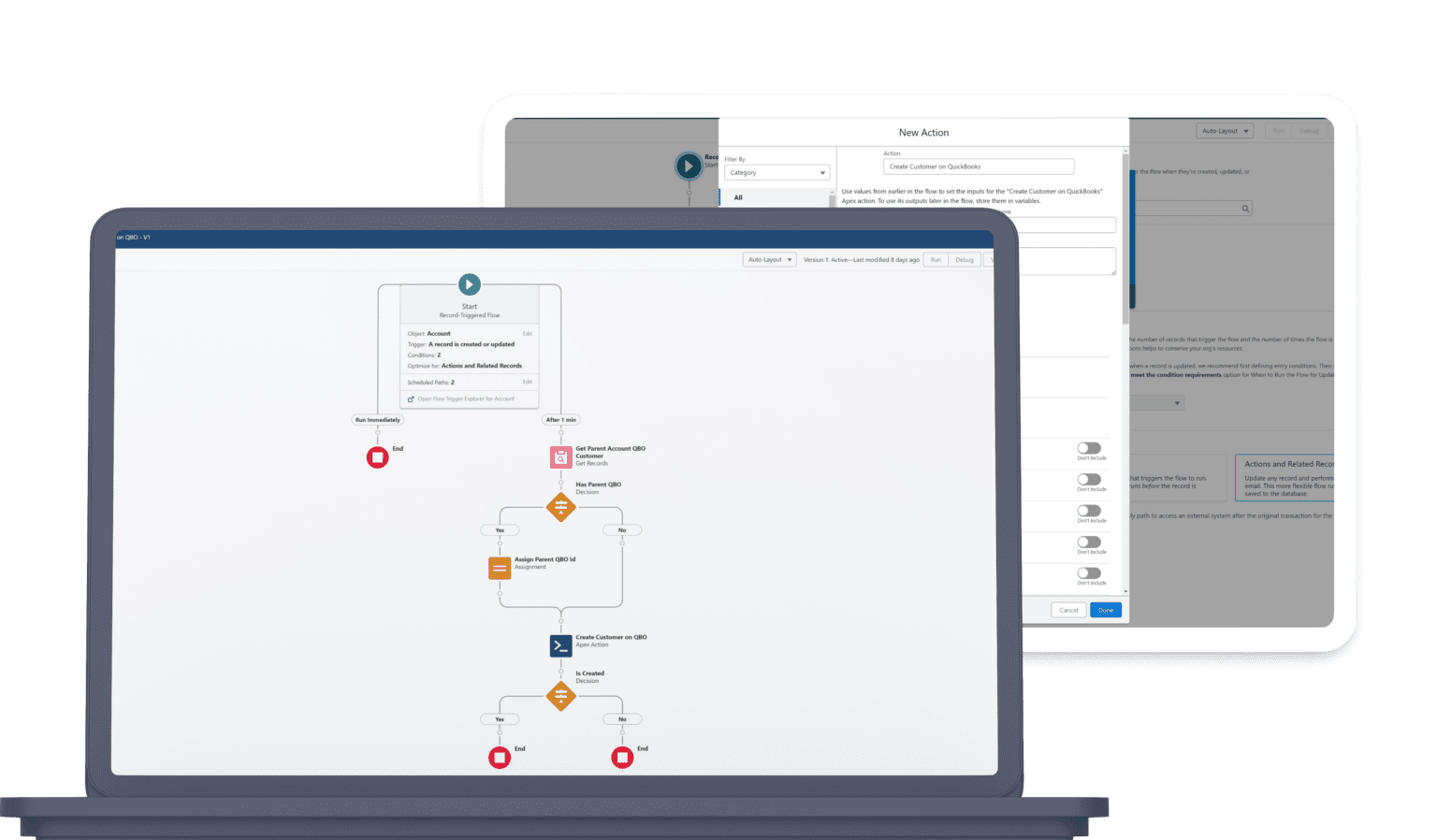
Use the power of Salesforce Flows to add a class to line items. Some of our subscribers use events related to an invoice record to toss a class on line items automatically. How would you do it?
- Apply classes to line items with no manual selection.
- Trigger from invoice-record events, fields, or stages.
- Keep P&L-by-class accurate as transactions flow to QuickBooks.
Class Tracking FAQ
Does Tally support QuickBooks class tracking?
Yes. Tally lets you categorize and track income, expenses, and other financial transactions by class directly out of Salesforce — for granular, organized, segmented P&L reporting.
Can I add a class to each line item?
Yes. Select a synced QuickBooks class per line item when adding products to an invoice (and on purchase order lines too).
Do I have to create classes in QuickBooks?
No. Create a new class directly from Salesforce and it reflects in QuickBooks. New classes added in QuickBooks also appear in Salesforce automatically.
Can class tracking be automated?
Yes. Use Salesforce Flows to add a class to line items — some subscribers use events on the invoice record to apply a class automatically. How would you do it?
Ready to unify QuickBooks and Salesforce?
Unify your QuickBooks experience directly from your Opportunities in Salesforce.