 Custom Tax Rates
Accurate QuickBooks tax rates on every Salesforce invoice
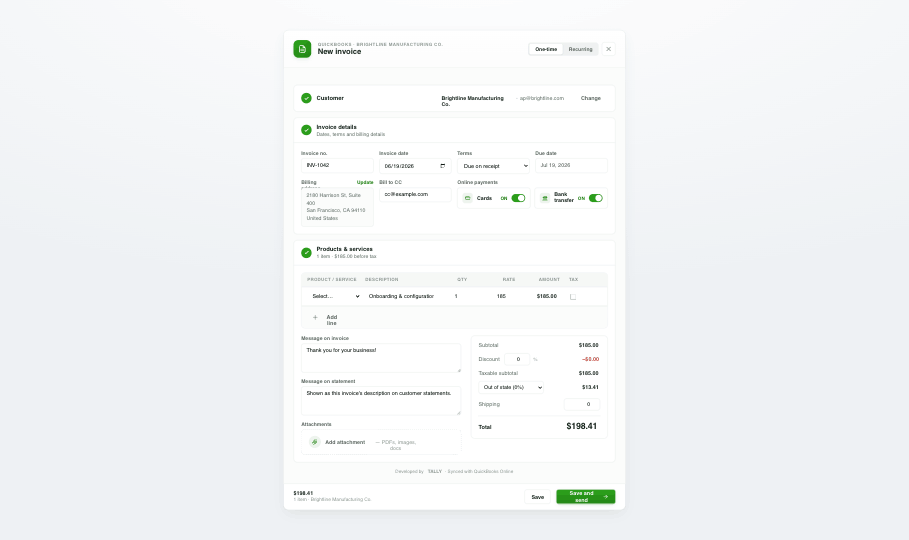
Apply the correct custom tax rates automatically as invoices and estimates sync to QuickBooks — no manual math, no compliance risk.
Overview
Tax rules are complex and getting them wrong is costly. Tally applies your custom QuickBooks tax rates to invoices and estimates as they sync from Salesforce, so every document is compliant and accurate the moment it's created. The right rate, every time, without your team doing the math.
- Apply custom QuickBooks tax rates automatically on sync.
- Correct tax on invoices, estimates, and sales receipts every time.
- Reduce compliance risk and manual calculation errors.
- Honors the tax structures you already use in QuickBooks.
How it works
Use your QuickBooks rates
Tally references the custom tax rates already configured in QuickBooks Online.
Create documents normally
Build invoices and estimates from Salesforce as usual.
Tax applies automatically
The correct rate is calculated and applied on every document, on sync.
Custom Tax Rates FAQ
Does Tally support custom tax rates?
Yes. Tally applies your custom QuickBooks tax rates automatically to invoices and estimates as they sync from Salesforce.
Will this help with tax compliance?
By applying the correct rate automatically, Tally reduces the manual-calculation errors and compliance risk that come with hand-keyed tax.
Explore more features


Ready to unify QuickBooks and Salesforce?
Unify your QuickBooks experience directly from your Opportunities in Salesforce.